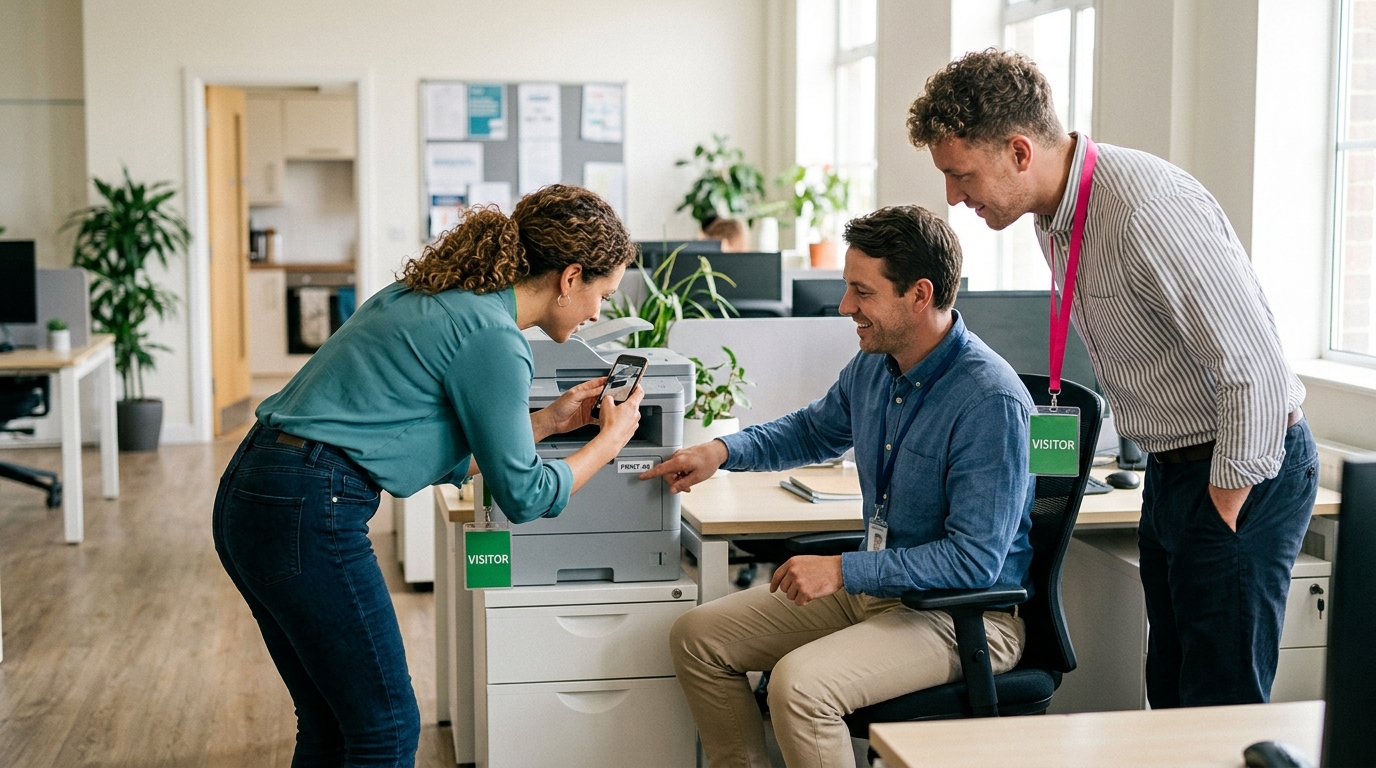

The weather is bad, the budget is small, and you have been asked to fill an hour on Friday for a floor of people who would rather not do a trust fall. An office scavenger hunt for employees is the answer that keeps working: nobody leaves the building, nobody needs a prop, and the same plan runs for a team of ten or a department of a hundred. This is the indoor version, start to finish: how to size the hunt to your headcount, how to split the building into zones so teams are not all photographing the same plant at once, sixteen missions written for an ordinary office, and a minute-by-minute schedule for the hour.
Every mission uses one of the four types a host can build in Scavvy: photo, video, GPS check-in and trivia. If you want a set tuned to your own building and your own inside jokes, type a sentence about your event into the free Mission Generator and it gives you 10 to 20 missions to start from, with no signup.
Why an office scavenger hunt for employees stays indoors
Sending teams out the front door is fun, and there is a separate list of team building scavenger hunt ideas for the block outside and for offsites. The indoor hunt gets booked more often, for three reasons:
- It fits in a real calendar slot. No walking to a start point, no waiting for the last team to get back from three blocks away. Doors open, hunt runs, feed on the screen, done inside sixty minutes.
- It works in any weather and any city. A business park with nothing around it is a perfectly good venue when the whole hunt happens between reception and the top floor.
- It teaches the building. Half the people on the floor have never been to the other side of it. After an hour of missions they know where the good meeting room is, whose desk has the plant collection, and what is actually in the supply cupboard.
Sizing the hunt to your headcount
Teams of four is the constant. Three works, five leaves someone at the back holding coats. What changes with headcount is how many missions you write, how you start, and how much of the building you use.
| Headcount | Teams | Missions | Space | Start |
|---|---|---|---|---|
| 10 to 16 | 3 or 4 | 10 to 12 | One floor | Everyone at once |
| 30 to 50 | 8 to 12 | 14 to 16 | Two floors, or one floor in zones | Everyone at once, each team's first mission in a different zone |
| 60 to 100 | 15 to 25 | 16 to 18 | The whole building | Two waves, five minutes apart, from opposite ends |
The number that surprises people is the mission count. A hundred people do not need forty missions; they need sixteen good ones spread across the building so that twenty-five teams are never in the same corridor. For a big group the trick is distribution, not more content.
Cost scales the same way. Building the hunt is free, playing is free for every player, and you pay once when you send it: $7.99 for up to 10 players, $19.99 for up to 30, $34.99 for up to 60 or $89.99 for up to 100, with an unlimited plan at $99.99 a month for organizations that run one most weeks. The full table is on the pricing page.
Split the building into zones before you write a mission
An indoor hunt fails in one specific way: every team reads the list top to bottom, heads for the same first mission, and spends ten minutes queuing outside reception. Fifteen minutes of planning the day before prevents it.
- Walk the space and name four or five zones. Usually reception, the kitchen, the open-plan desks, the meeting rooms, and any odd space you have: a roof terrace, a stairwell with a view, a basement archive.
- Write three or four missions per zone and tag each mission name with its zone ("Kitchen: ...") so teams plan a route instead of wandering.
- Mark two rooms off limits. Whatever is in use that hour, whoever has a client call. Say it at the start and put it in the hunt description.
- Give each team a different starting zone. With a hundred people, also split the room into two waves so half the teams start five minutes later from the far end of the building.
- Put one GPS check-in at each end. Indoors, GPS is a blunt tool, so use it at the main entrance and at the point farthest from it. Both force a team to cover the whole floor at some point in the hour.
Then build the missions in the web builder at your desk, order them by zone, and send one invite link to the whole floor. Teams join from the link or the code while they find their seats, and one phone per team handles submissions. That is the entire technical setup.
Sixteen missions for an ordinary office
These assume a reception desk, a kitchen, open-plan desks and a few meeting rooms. None depends on a specific object, so they survive whatever has been moved, borrowed or thrown away by Friday. Swap in your own room names.
- gpsReception: check in at the main entrance before anything else, and photograph your team under the sign.
- photoReception: find the emergency exit map and photograph your team pointing at exactly where you are standing.
- triviaReception: how many steps from the front door to the kitchen? Count them. Answers within five of the host's count score.
- photoKitchen: the oldest mug in the cupboard, or a mug from a company that no longer exists. Write one line on who you think owns it.
- videoKitchen: a fifteen-second commercial for the office stapler, presented as if it costs a thousand dollars.
- photoKitchen: every member of your team holding a different color of sticky note, fanned out in one shot.
- photoDesks: three plants in one photo, no two from the same room. Ask before you move anyone's plant.
- photoDesks: someone not on your team wearing a sticky note with your team name, with their permission and a smile.
- videoDesks: ten seconds of your team performing the sound of the printer, with no printer allowed in shot.
- triviaDesks: how many people on this floor have a photo of a dog on their desk? The host counts on the walk-through the day before.
- photoMeeting rooms: a whiteboard with your team name written in four different handwritings, one per team member.
- triviaMeeting rooms: how many chairs are in the largest meeting room on this floor? Exact number, no rounding.
- videoMeeting rooms: your team reading the first line of the company's mission statement in the voice of a movie trailer.
- photoMeeting rooms: the best view from any window in the building, with one teammate in frame pretending to be a tour guide.
- photoAnywhere: a team member fitting entirely into a space they should not fit into. An armchair, a low shelf, a coat cupboard. Safely, and put it back.
- gpsFar end: check in at the desk farthest from the kitchen and photograph what is on it, with the owner's permission and no screens in shot.
Two of these send a team to talk to someone who is not playing: the sticky-note mission and the far-end desk. Keep at least two like that in any list; they are the moments the feed is full of afterwards. The trivia missions need answers only the host knows, so do the counting on your walk-through and type the answer in when you build the mission.
The hour, minute by minute
Set the points before the day. A flat 100 for everything produces a board where the fastest team wins by default, so give 100 for a straightforward photo, 150 for trivia (a wrong answer scores nothing, so teams have to commit), 200 for video, and 300 for the two GPS check-ins and any mission that needs a colleague's help. A team that does twelve missions well then beats a team that rushes all sixteen, and the videos get better once you say so out loud.
This is the schedule for a floor of forty people in ten teams. For ten people, cut the play window to thirty-five minutes. For a hundred, keep the same shape and start the second wave at 0:15 from the far end.
| Time | What happens | Host's job |
|---|---|---|
| 0:00 | Teams announced, everyone joins from the link on the screen | Read the rules, name the off-limits rooms, assign starting zones |
| 0:10 | Hunt opens | Watch the feed, like the good ones, nudge the team still standing in the kitchen |
| 0:35 | Halfway call | Read out the top three on the leaderboard |
| 0:45 | Five-minute warning | Say it loudly on every floor, or send someone to |
| 0:50 | Hunt closes, everyone back at the start | Put the feed on the big screen |
| 0:55 | Debrief and prizes | Best video, best photo, winning team; something small for each |
The halfway call is the step most first-time hosts skip. Indoors, teams cannot see each other, so nobody knows whether they are winning or miles behind. Three names read off the leaderboard at the midpoint gives every team a reason to hurry.
Mistakes that only happen indoors
An office hunt has its own failure modes, and most come from sharing the building with people who are still working.
- Running it while the floor is busy. If half the office has calls at 2 pm, half the office will hate your hunt. Book the last hour of a Friday or the slot right after an all-hands, when people are already away from their desks.
- Forgetting the elevators. Ten teams and two elevators is ten minutes of nothing. Send half the teams up the stairs, or keep the hunt to floors that connect by stairs.
- Trivia anyone can look up. "What year was the company founded" is one search away. Ask about the building instead: chairs, steps, plants, dogs on desks.
- No off-limits list. A team that opens the door on an investor call has ended your hunt. Name the closed rooms at the start.
- Skipping the debrief. Teams finish, look at their phones, and drift back to their desks. Get everyone into one room and scroll the feed together. The stapler commercial on a big screen with forty people laughing is the whole point.
Make it yours in ten minutes
The sixteen missions above are a working hunt as written, but the best office hunts have four or five that could only exist in your building: the meeting room with the broken blind, the fridge shelf nobody claims, the framed press clippings from a product that shipped years ago. Write those on your walk-through. If you would rather not start from a blank page, describe your office and your group in one sentence in the Mission Generator and edit what it gives you until it sounds like your floor. Then build the hunt, send one link, and let the building do the rest.