
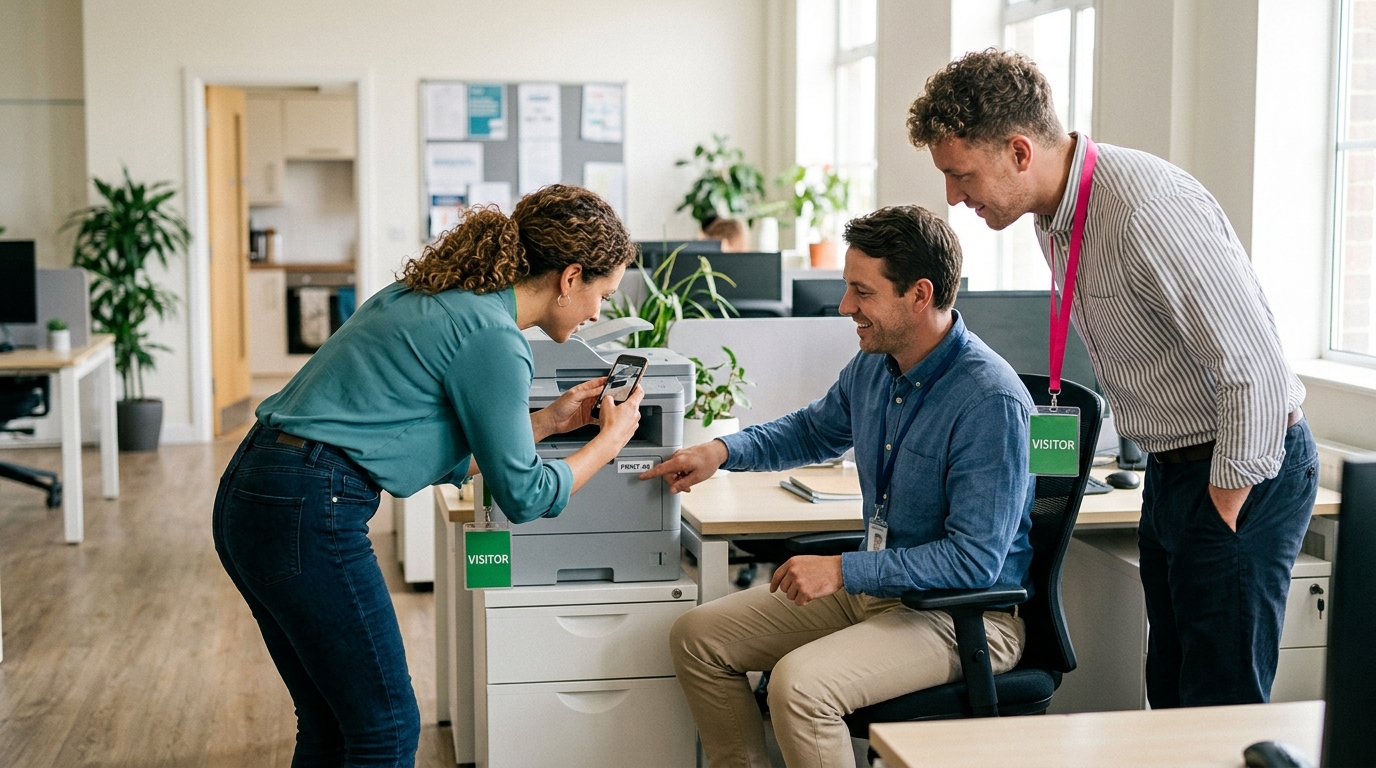
The office tour is the first thing a new hire forgets. Someone walks them past the kitchen, the printers and forty desks in eleven minutes, naming people who nod and turn back to their screens, and by lunch the new hire is quietly asking where the kitchen is. A new hire onboarding scavenger hunt flips who does the work: instead of being shown the office, the new hire goes and finds it, proves it with a photo, and meets half a dozen people along the way who are now faces with names. This is a plan for HR teams and managers who want to retire the tour: when to run the hunt, who plays, eighteen missions that teach where things are and who people are, and the week around it.
Every mission uses one of the four types a host can build in Scavvy: photo, video, GPS check-in and trivia. For a set written around your own building, type a sentence about your onboarding day into the free Mission Generator and it gives you 10 to 20 missions to start from, with no signup.
Why a new hire onboarding scavenger hunt beats the tour
The tour fails for reasons that have nothing to do with the person giving it. New hires are nervous, they are being told forty things in a row, and none of it is attached to anything they did. A hunt changes three things:
- They find things instead of being shown them. A person who hunted for the first-aid kit and photographed its shelf knows where the first-aid kit is. A person who was pointed at a cupboard in passing does not.
- Meeting people comes with a reason. "Go and introduce yourself" is the hardest instruction in onboarding. "Find the person who has been here longest and ask what the office looked like when they started" is a mission with a built-in opening line.
- The whole company watches it happen. Every submission lands in a live feed with likes and comments, so colleagues across the building see the new cohort's photos appear and react to them. By the end of the afternoon the new hires have been greeted by more people than any tour could have introduced.
It also takes the tour off the manager's plate. HR builds the hunt once, on the web, and it runs for every cohort until the office changes. The builder, the invite link and the live feed are the parts of Scavvy this plan leans on; everything else is the office you already have.
Setting it up: timing, teams and devices
The setup is fifteen minutes the first time and five for every cohort after that. Most of the decisions are about the day, not the app.
- Run it on the afternoon of day one, or the morning of day two. Laptops are issued, accounts work, the paperwork is signed and the energy has dropped. Forty-five minutes of moving around is what the schedule needs at that point.
- Teams of two or three new hires. One new hire alone is an audit; three is a team. If your cohort is a single person, pair them with a buddy from a different department.
- One phone per team. Players join from an invite link or a code in the free Scavvy app on iOS or Android, and one person submits for the team.
- Build the missions by zone and order them that way. Tag each mission name with where it happens ("Kitchen: ...") so a team plans a route, and give each team a different first mission so three teams are not photographing the same printer.
- Tell the office the day before. One message: new hires will be out with questions between two and three tomorrow, please answer them, and here is the feed if you want to follow along.
Set the points before the day. Give 100 for a photo of a place, 150 for trivia (a wrong answer scores nothing, so teams have to ask someone), 200 for video, and 300 for every mission that requires talking to a colleague. The people missions are the hard ones, and the leaderboard should say so.
Nine missions that teach where things are
These are the places a new hire needs in week one. Each is written so the proof is useful later: the photo of the printer label is what they will look at on Thursday when the print dialog shows six printers. Swap in your own room names.
- gpsReception: check in at the front desk and photograph the sign-in screen or visitor book. This is where you will send your own guests.
- photoReception: the emergency exit nearest your desk, with your team pointing the way you would walk if the alarm went off right now.
- photoKitchen: one photo that shows where the clean mugs live, where the dirty ones go, and the fridge rules sign, if there is one.
- photoKitchen: the nearest first-aid kit, photographed on the shelf or wall it lives on, with one line on what is inside.
- photoDesks: the printer you will actually use. Photograph its name label, the one you will pick in the print dialog, not the printer itself.
- photoDesks: the drawer or cupboard where spare chargers, cables and notebooks live. Photograph it open.
- triviaMeeting rooms: how many bookable meeting rooms are on this floor? Exact number. The host counts the day before.
- videoMeeting rooms: fifteen seconds of your team explaining how to book a room, filmed outside one you have just booked.
- gpsFar end: check in at the point of the building farthest from your desk and photograph the view from the nearest window.
The two GPS check-ins bracket the building. Indoors, GPS is a blunt tool, so use it only at the entrance and the far end; between them, every mission is proved by a photo. Together they make sure a team has walked the whole floor.
Nine missions that teach who people are
These are worth more points because they are harder, and because they are the reason to run a hunt rather than hand over a floor plan. Each asks for permission in the mission text, so a new hire never has to wonder whether it is all right to interrupt.
- photoA photo with the person who sits nearest your desk, both holding a sticky note with one thing you have in common. Ask first.
- triviaWho do you message when your laptop will not join the Wi-Fi? First name and team. You are allowed to ask around.
- photoFind the person who has been here longest. If they are willing, photograph their desk with no screens in shot, and write one line on what the office looked like when they started.
- videoTwenty seconds of someone from a team you will work with explaining, in plain words, what their team does. Film them with their okay, or film yourself repeating it.
- photoFind someone who joined within the past year and ask what they wish they had known in week one. Photograph the answer on a sticky note, in their handwriting.
- triviaWhat is the name of the office's unofficial mascot: the plant, the fish, the clock that is always wrong? Somebody knows.
- photoSomeone from outside your own department wearing a sticky note with your team's names on it, with their permission and a smile.
- videoYour team reading the first line of the company's mission statement in the style of a weather forecast, including a five-day outlook.
- photoYour whole team with your manager, standing in the spot where your first one-on-one will happen. Agree the time while you are there.
The trivia missions have answers only the host knows: the Wi-Fi person, the mascot, the room count. Type the answer in when you build the mission. A question anyone could search is a wasted mission; one answered only by asking a colleague is the point of the afternoon.
The forty-five minutes, and the week around them
This is the schedule for a cohort of six to twelve in teams of three. For a cohort of two, it is the same shape with one team and a buddy; the leaderboard matters less and the feed matters more.
| Time | What happens | Host's job |
|---|---|---|
| 0:00 | Teams named, everyone joins from the link on the screen | Explain the points, name the rooms that are off limits today |
| 0:05 | Hunt opens, each team starts in a different zone | Watch the feed and like the first submission from every team |
| 0:25 | Halfway call | Read the top two on the leaderboard; remind teams the people missions are worth triple |
| 0:35 | Five-minute warning | Walk the floor and say it in person |
| 0:40 | Hunt closes, everyone back to the start | Put the feed on the big screen |
| 0:45 | Scroll the feed together | Name the winning team; ask each team what they learned that was not a mission |
The hunt pays off across the week if you use what it produced:
- Day two. The cohort opens the feed before anything else. The photos are their map: the printer label, the charger drawer, the emergency exit.
- Day three. The first one-on-one happens in the spot from the last mission, and opens with the sticky-note answer from the colleague who joined last year.
- Day five. Each new hire writes one mission for the next cohort. Add the best ones. After four cohorts, the hunt is written by the people who needed it.
Mistakes that turn the hunt back into a tour
Most onboarding hunts that fall flat do so in one of four ways.
- Running it in the first hour of day one. Nobody has a badge and the new hires have not found their own desks yet. Let the paperwork happen first.
- Missions that only check the floor plan. If every mission is a photo of a room, you have built a tour that walks itself. Keep at least a third of the list about people, and price them highest.
- Not warning the office. A colleague interrupted mid-call by a stranger with a sticky note is not making a new friend. One message the day before turns that moment into a welcome.
- Skipping the feed scroll at the end. Teams finish, look at their phones, and drift. Get everyone into one room and watch the weather-forecast videos together. That five minutes is when a cohort becomes a group.
Build it once, run it for every cohort
The eighteen missions above are a working onboarding hunt as written. The best versions have four or five that could only exist in your office: the fridge shelf nobody claims, the window that does not close, the colleague who keeps the good pens. Write those on a walk-through, build the hunt on the web, send one invite link to the first cohort, and keep it for every cohort after that. The tour taught almost nothing in eleven minutes; the hunt takes forty-five minutes once, and on Thursday the new hire still knows where the printer is. To see how the builder, the feed and the leaderboard fit together, start at scavvy.com; building is free, and you only pay when you send the hunt to players.